
Time Duration Calculator
Calculate exact duration between two dates and times — including business days
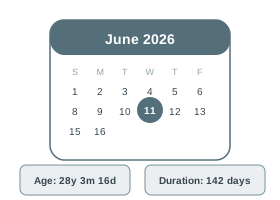
How it works
Calendar days = All days including weekends
Business days = Mon–Fri only (weekends excluded)
Breakdown = Years, months, days, hours, minutes
| From | — |
| To | — |
| Duration | — |
| Calendar Days | — |
| Business Days (Mon–Fri) | — |
| Weekend Days | — |
Real-Life Guide to Using the Time Duration Calculator
Time between two clock times. Use the examples and checks below to turn the number into a practical decision.
When this calculator is useful
This is for working out elapsed time between two clock times on the same day or across midnight — for example, how long a train journey, a work shift, a movie show, or a phone call lasted.
For most people, the best way to use the Time Duration Calculator is to try the real case first, then change one input at a time. That makes the trade-off visible. For example, with a loan calculator you can change tenure while keeping the same rate; with an investment calculator you can change return assumption while keeping the same monthly contribution; with a health, education or measurement calculator you can check how much one input changes the final category.
The result should answer a practical question: Can I afford this? How much should I save? Is this score enough? Is this measurement within range? What is the safer or cheaper option? If the output does not answer the decision clearly, adjust the inputs until the scenario matches your real situation.
Practical Advice
Use the Time Duration Calculator as a planning tool, not just a number generator. Write down the inputs you used, because the final answer is meaningful only when you remember the assumptions behind it.
If the decision affects money, health, tax, safety, academics or legal compliance, keep a second check ready. That second check may be a bank quote, payslip, official rule, prescription, site measurement, mark sheet or invoice.
Common Mistakes
- Assuming a shift from 10:30 PM to 6:15 AM is negative or invalid, when it actually spans midnight and equals 7 hours 45 minutes.
- Mixing 12-hour and 24-hour formats, e.g. entering "8:00" without specifying AM/PM and getting a result 12 hours off from what was intended.
- Subtracting hours and minutes separately by hand (like 6:15 minus 10:30) and getting a negative minute value instead of borrowing an hour correctly.
- Forgetting to account for a lunch or tea break when calculating "hours worked" from clock-in to clock-out, overstating actual working time.
- Ignoring seconds in a duration that matters for precise timing, like a 100m race split or a call-centre call length, and rounding to the nearest minute too early.
How to Interpret Results
The result gives total elapsed time broken into hours, minutes (and seconds if entered) — if the duration looks unexpectedly long, check whether the end time actually falls on the next day rather than the same day.
A good interpretation looks at both the main result and the supporting values. If a page shows totals, ratios, categories, schedules or warnings, read those together instead of focusing only on the biggest number.
Time Duration Calculator FAQs
Useful answers for interpreting the output, avoiding mistakes and using the result responsibly.
What is a Time Duration Calculator?
A time duration calculator computes the exact difference between two points in time — returning the result broken down into years, months, days, hours, minutes, and seconds. It's useful for project timelines, contract durations, loan tenures, event countdowns, and deadline tracking.
Beyond calendar days, this calculator also counts business days (excluding weekends), making it practical for work and legal contexts where only working days matter.
help_outlineHow to Use the Time Duration Calculator
- Select the Start Date & Time using the datetime picker — click the field and use the calendar/clock interface, or type directly.
- Select the End Date & Time — this can be in the past (to measure elapsed time) or the future (to count down to a deadline).
- Results update live as you change either date — the exact interval in years, months, days, hours, minutes, and seconds is shown instantly.
- Review total calendar days, total hours, total minutes, and total seconds for precise measurement in each unit.
- Use the Business Days count (Mon–Fri only, excluding weekends) for project deadlines, notice periods, and legal timelines where only working days count.
Benefits
- Exact breakdown in years, months, days, hours, minutes, and seconds — not just total days
- Business days count (Mon–Fri, excluding weekends) for contracts, notice periods, and SLA tracking
- Works for past (elapsed time) and future (countdown) date ranges equally
- Useful for service period verification, gratuity eligibility, and contract duration validation
- Handles date spans from hours to decades — covers employment tenure, loan periods, and project timelines
Key Terms
- Calendar Days
- All days between two dates including weekends and public holidays
- Business Days
- Working days (Mon–Fri) only — excludes Saturday and Sunday; does NOT auto-exclude public holidays
- Notice Period
- Contractual period between resignation and last working day — typically 30, 60, or 90 calendar days
- Service Period
- Total tenure from joining to last working day — used for gratuity (minimum 5 years required) and leave encashment
- Duration
- The interval between two points in time — expressed in multiple units simultaneously for complete measurement