
Statistics Calculator
Mean, median, mode, standard deviation, variance, quartiles, IQR and skewness
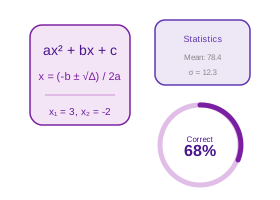
Statistical Formulas
Mean (�): Sum of all values — Count
Median: Middle value of sorted data (average of two middle values if even count)
Mode: Most frequently occurring value(s)
Population Variance (s2): S(x-�)� / N
Sample Variance (s2): S(x-�)� / (N-1)
Standard Deviation: vVariance
IQR: Q3 - Q1 (middle 50% of data)
Skewness: Measures asymmetry; 0 = symmetric, positive = right-skewed
Real-Life Guide to Using the Statistics Calculator
Mean, median, mode, SD, variance. Use the examples and checks below to turn the number into a practical decision.
When this calculator is useful
Use this to summarize a data set with mean, median, mode, variance, and standard deviation in one pass — common for exam score analysis, small research data sets, or descriptive statistics homework.
For most people, the best way to use the Statistics Calculator is to try the real case first, then change one input at a time. That makes the trade-off visible. For example, with a loan calculator you can change tenure while keeping the same rate; with an investment calculator you can change return assumption while keeping the same monthly contribution; with a health, education or measurement calculator you can check how much one input changes the final category.
The result should answer a practical question: Can I afford this? How much should I save? Is this score enough? Is this measurement within range? What is the safer or cheaper option? If the output does not answer the decision clearly, adjust the inputs until the scenario matches your real situation.
Practical Advice
Use the Statistics Calculator as a planning tool, not just a number generator. Write down the inputs you used, because the final answer is meaningful only when you remember the assumptions behind it.
If the decision affects money, health, tax, safety, academics or legal compliance, keep a second check ready. That second check may be a bank quote, payslip, official rule, prescription, site measurement, mark sheet or invoice.
Common Mistakes
- Relying on the mean when a data set has outliers — incomes of ₹20k, ₹22k, ₹21k, ₹23k, and ₹500k give a mean of ₹117.2k but a median of ₹22k, and the median better represents the typical value here.
- Forgetting to sort the data before identifying the median, which gives the wrong middle value for an unsorted list.
- Using the population standard deviation formula (dividing by n) on a data set that is actually a sample, understating the true variability (a sample should divide by n - 1).
- Reporting "no mode" without checking whether the data should be grouped into intervals first, especially for continuous measurements.
- Averaging the two middle values incorrectly for an even-sized data set, rather than taking their true arithmetic mean as the median.
How to Interpret Results
Compare the mean and median together — when they are close, the data is roughly symmetric, but when they diverge sharply, the data set likely contains outliers or skew, and the median or mode will describe it more fairly than the mean.
A good interpretation looks at both the main result and the supporting values. If a page shows totals, ratios, categories, schedules or warnings, read those together instead of focusing only on the biggest number.
Statistics Calculator FAQs
Useful answers for interpreting the output, avoiding mistakes and using the result responsibly.
What is a Statistics Calculator?
A statistics calculator computes descriptive statistics for a dataset — measures of central tendency (mean, median, mode) and measures of spread (range, variance, standard deviation, IQR). These metrics summarize the distribution and variability of data in research, business analytics, and academics.
Standard deviation tells you how spread out data points are from the mean. A low SD means data clusters closely; a high SD means wide spread. Quartiles and IQR help identify outliers and understand the middle 50% of your data.
help_outlineHow to Use the Statistics Calculator
- Enter your dataset in the text area — numbers separated by commas, spaces, or new lines (e.g., "4, 7, 13, 2, 8, 4, 11"). You can paste directly from Excel.
- Click "Calculate Statistics" — all measures are computed simultaneously: mean, median, mode, standard deviation (population and sample), variance, quartiles, IQR, range, and skewness.
- Review the Frequency Distribution chart to visualise how often each value appears in the dataset and identify clusters.
- Check the Sorted Data section at the bottom to see the ascending order — useful for manually verifying median and quartile positions.
- Use the Clear button to reset the input and start a new analysis with a fresh dataset.
Benefits
- 12+ statistics computed in one click — no need to calculate mean, SD, and quartiles separately
- Both population and sample variance/SD shown — critical distinction for academic and research use
- Frequency distribution chart visualises data spread without needing external tools like Excel
- Accepts any dataset size — paste hundreds of values from a spreadsheet for bulk analysis
- Skewness shows data asymmetry — detect right-skewed or left-skewed distributions instantly
Key Terms
- Mean (�)
- Arithmetic average = Sum / Count; sensitive to outliers; the "center of gravity" of the dataset
- Median
- Middle value of sorted data; not affected by outliers; preferred for skewed distributions like income or housing prices
- Mode
- Most frequently occurring value; a dataset can have no mode, one mode, or multiple modes (bimodal)
- Standard Deviation (s)
- vVariance; measures spread from the mean; low SD = clustered tightly, high SD = widely dispersed
- IQR
- Interquartile Range = Q3 - Q1; range of the middle 50% of data; used to detect outliers (values beyond Q1 - 1.52IQR or Q3 + 1.52IQR)